
Rewards Arcade: Earn Cash
PIXELPRIZE LIMITEDEntertainment
0.00.00 Reviews
- Version
- 2.0.17
- Installs
- 10.00K
- Age Rating
- Mature 17+
Screenshots
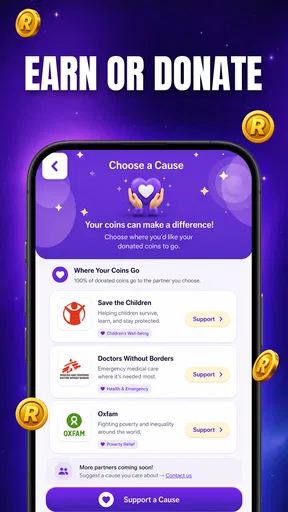
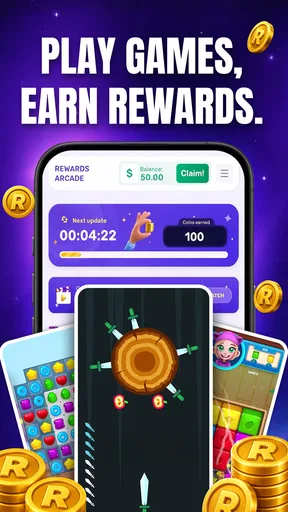
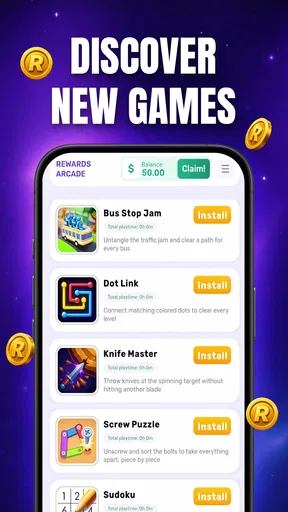
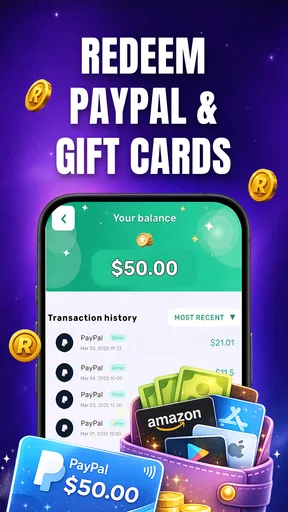
Our Review of Rewards Arcade: Earn Cash
 Analysis by Appyee
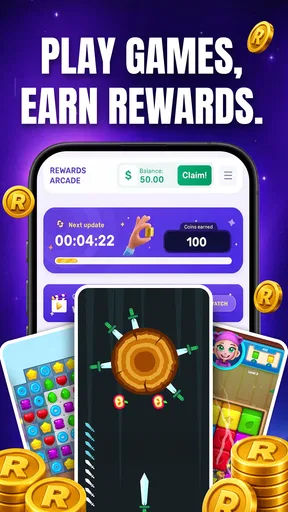
Rewards Arcade: Earn Cash is an entertainment app built around short games and a points-based reward loop. I approached it less like a serious gaming platform and more like something to open during a spare moment: while waiting for an appointment, taking a break, or winding down without committing to a long session. That distinction matters, because the appeal is not deep gameplay. It is the possibility of turning small amounts of casual play into points that can later be exchanged for cash or gift cards.
The app is developed by PIXELPRIZE LIMITED and is free to install. It sits in the mature entertainment space, with a 17+ age rating, and its current version is 2.0.17. It supports Android 7.1 and later, so it is aimed at a broad range of Android phones rather than only recent hardware. The published release date is August 24, 2026, and the app has passed the ten-thousand-install mark. Those details give useful context, but they do not change the central question: is the experience clear, comfortable, and worthwhile for the way you actually use your phone?
How readable and navigable is the rewards experience?
My first impression is that an app like this lives or dies by clarity. The basic promise is easy to understand: play quick games, collect points, and work toward a redemption. That sounds simple, but reward apps can become confusing when the balance, game selection, progress information, and redemption path are not easy to distinguish. With Rewards Arcade, I would treat the main screen as a place to orient myself before starting anything. I want to know what action earns points, where those points are recorded, and what step comes next.
The strongest part of this kind of design is the short-session structure. A user does not need to learn a large world, memorize complicated controls, or follow a long story. That makes the app approachable for people who prefer quick, self-contained activities. It also helps anyone who finds dense game interfaces tiring. Instead of facing a large catalogue with many systems to master, the experience is better understood as a sequence of small decisions: choose an activity, play for a while, check progress, and decide whether continuing feels worthwhile.
I recommend reading each reward instruction carefully before investing time. In points-based apps, the important detail is rarely the game itself; it is the condition attached to the points. A user may assume that opening a game is enough, while the actual requirement may involve completing a particular action or staying active for a certain stage. I would make a habit of checking the points balance after a first short session. That simple check tells you whether the activity is registering properly before you spend a longer break on it.
For people with visual processing difficulties, the difference between a pleasant rewards app and an exhausting one often comes from hierarchy. Clear labels, predictable placement, and a visible separation between play and redemption reduce mental effort. I found the concept easier to approach when I focused on one task at a time rather than trying to understand every option immediately. If the screen feels crowded, returning to the main reward area instead of jumping through several screens is a sensible workflow.
Text size is another practical consideration. Android users can adjust system display and font settings, but an app does not automatically become comfortable just because the operating system offers those controls. Enlarged text can create clipped labels or require more scrolling in some interfaces. Before committing to regular use, I would test the app with your preferred display size and confirm that the points total, game instructions, and redemption controls remain understandable. That is more useful than judging accessibility from screenshots alone.
The app is also easier to navigate when treated as a routine rather than a place to browse aimlessly. I would open it, identify the shortest activity that suits my available time, play it, and then verify the result. This reduces the temptation to keep switching between options without knowing which action is actually helping. It is a small but important distinction: the app can be casual without becoming confusing.
Why the short-session format helps
Rewards Arcade makes the most sense for people who want entertainment in small portions. A commuter with a few minutes before leaving, someone waiting for a prescription, or a user taking a screen break may appreciate activities that do not demand a full evening. The reward layer gives those moments a little structure, even if the points are not the main reason to play.
Compared with a conventional arcade game, the motivation here is different. A normal game may offer better controls, deeper progression, or a more polished challenge because its purpose is entertainment first. This app adds a reward objective, but that does not automatically make each activity more satisfying. I would choose it when the reward loop is part of the appeal, not when I am looking for the best standalone game experience on Android.
Reading the reward path before playing
One useful habit is to separate three questions: what can I play, what counts as progress, and what can I redeem? Keeping those questions distinct prevents a common mistake in reward apps—confusing activity with earnings. I would also avoid assuming that every available option has equal value simply because each one appears in the same entertainment area. If one activity is easier to understand or less demanding on your attention, it may be the better choice even when another looks more exciting.
This approach is especially helpful for users who have limited concentration. Rather than trying to maximize every possible point, choose a repeatable activity with straightforward instructions. A smaller, predictable routine is often more accessible than constantly learning new tasks. It also makes it easier to notice when a session has become tiring or when the reward is no longer worth the effort.
Motor, sensory, and situational considerations
Quick games can be friendlier to some users than long-form games, but “quick” does not automatically mean accessible. The physical demands depend on how much tapping, timing, dragging, or repeated movement an activity expects. Someone with limited dexterity may find a simple tap pattern manageable but struggle with rapid inputs. Someone with tremors may prefer activities that allow a little time to respond rather than ones built around precision.
Because the app contains multiple quick-game experiences, I would judge each one separately instead of assuming the whole catalogue feels the same. A user with motor limitations should begin with the least demanding option and see whether the controls can be used comfortably without rushing. If a game requires repeated fast actions, it may be better treated as optional rather than as the default route to points. The reward goal should not pressure you into a control style that causes discomfort.
Sensory load matters too. Bright visuals, motion, sound effects, and repeated feedback can be enjoyable for one person and distracting for another. I would test Rewards Arcade in a quiet setting first, with the phone at a comfortable brightness and the device volume under control. If you are sensitive to visual movement or audio, a short trial is more informative than a long session. Stop when the app becomes tiring; the points are not worth turning a brief break into sensory overload.
Users who rely on screen readers or other Android assistance tools should check how the app exposes its controls in practice. Labels and buttons need to be announced in a useful order, and game content may be harder to operate if it depends heavily on visual timing or unlabeled interactive areas. I cannot treat the app as universally accessible simply because it runs on Android. The sensible approach is to test one activity with your usual assistance settings before deciding whether the reward workflow fits your needs.
People with hearing loss may find visual feedback more important than sound, while people with low vision may need the reverse: strong spoken or enlarged visual guidance. Since quick games can communicate progress through several channels, the experience will depend on whether those signals are available in a form you can use. I would not rely on sound alone to confirm that points have been earned. Checking the visible balance after a session is a more dependable habit when audio cues are easy to miss.
A realistic everyday session
Imagine that I have fifteen minutes before a bus arrives. I open the app, choose a quick activity, and first check how its progress is represented. I keep the phone at a comfortable brightness, avoid playing while walking, and stop if the controls demand more speed than I can comfortably manage. After the session, I return to the points area and verify that the balance changed as expected. If the result is clear, I know whether this is a useful routine for future waiting time. If it is unclear, I have lost only a short trial rather than building a habit around guesswork.
That scenario also shows where the app may not fit. A person who needs completely hands-free entertainment, who cannot tolerate repeated touch input, or who is using a phone in a very noisy or visually distracting environment may be better served by an audiobook, a podcast, or a game designed around slower interaction. Rewards Arcade is a touch-based entertainment option, not a universal solution for every access need.
Using it in shared and changing environments
The app can be convenient in private downtime, but public use introduces extra friction. A user may not want reward sounds playing in a waiting room, and a bright screen can be uncomfortable on a dark journey. I would keep sessions short, use headphones only if that is safe and appropriate, and avoid opening the app when I need to pay attention to traffic, announcements, or other people.
There is also a privacy-minded reason to avoid multitasking carelessly: reward apps encourage repeated checking, and repeated checking can become distracting. I would set a natural stopping point before beginning, such as one activity or one short break. That keeps the app in its proper role as optional entertainment instead of allowing the points loop to control the whole session.
What can still create barriers?
The biggest barrier is the trade-off between effort and reward. The app is free, which lowers the financial risk of trying it, but free does not mean costless. Your time, attention, battery, data connection, and patience all have value. If the process of understanding an activity or reaching a redemption becomes more demanding than the entertainment justifies, a normal free arcade game may be the better choice.
The mature 17+ rating is another boundary that families should take seriously. I would not present this as a children’s rewards app or hand it to a younger user simply because the games look casual. Parents and guardians should choose entertainment that matches the age guidance rather than assuming that a points system makes the content suitable for everyone.
Reward expectations can also become a source of disappointment. The store summary presents the app as a way to earn points and redeem them for cash or gift cards, but I would still approach the reward side with patience. Treat the points as a possible extra benefit from casual play, not as dependable income. Never let the promise of a redemption push you into spending money, sharing sensitive information, or continuing a session that no longer feels comfortable.
Another limitation is that reward-focused apps are less satisfying when you want depth. If your priority is a rich campaign, competitive ranking, creative control, or a carefully balanced arcade challenge, you may prefer a dedicated game. Rewards Arcade is more suitable when the act of collecting points is part of the attraction. That makes it a niche recommendation rather than a replacement for every entertainment app on your phone.
Device age can affect comfort even though Android 7.1 is supported. Older phones may still run the app, but the experience can feel less pleasant if loading, touch response, or screen readability is poor. I would test it on the phone you actually plan to use, not assume that operating-system compatibility guarantees an equally smooth experience on every device.
Who should try it, and who should skip it?
I would recommend Rewards Arcade to an adult Android user who enjoys brief games, likes visible progress, and understands that rewards are a bonus rather than a salary. It is particularly appealing if you often have small pockets of free time and want a simple reason to return to a casual activity. The free entry also makes a short trial reasonable for users who are curious about the format.
I would skip it if you dislike reward mechanics, need fully predictable earnings, or want a game whose quality stands independently from cash or gift-card redemption. I would also be cautious if rapid touch controls, bright motion, or repeated checking are difficult for you. In those cases, a slower game, an audio-first app, or a conventional entertainment option may be more comfortable and more honest about what it offers.
For accessibility-minded users, my advice is to test rather than assume. Try the main navigation with your normal font size, display settings, audio preferences, and Android assistance tools. Then play one short activity and check whether the controls, feedback, and points record are understandable. This workflow answers the practical questions that a generic description cannot: can you find the right action, operate it without strain, and confirm the result afterward?
My inclusive verdict
Rewards Arcade: Earn Cash has a clear appeal: it combines lightweight entertainment with a points goal, giving short breaks a little more purpose. I like that the concept does not require a large time commitment, and the free model makes it easy to explore without treating the first session as a major decision. The most successful users will be those who enjoy casual repetition and keep their expectations realistic.
Its inclusive value depends less on the reward idea than on how comfortably each person can navigate and play. Short activities may reduce cognitive commitment, but they can still create motor, sensory, reading, or attention barriers. I would use the app selectively, choose the least demanding workflow, verify progress after playing, and stop when the experience becomes tiring. Accessibility here is a personal fit to test, not a promise to assume.
Overall, I see it as a modest entertainment companion for adults who want quick sessions and the possibility of redeeming accumulated points. I would recommend trying it when you are curious about reward-based arcade play, but I would not replace a favorite game, a reliable income source, or a more accessible alternative with it. Used with sensible limits and a careful eye on comfort, it can be a pleasant way to fill spare minutes; used with unrealistic expectations, it is likely to feel like more effort than it is worth.
The developer, PIXELPRIZE LIMITED, positions the experience around casual play and rewards, and the current release keeps that purpose straightforward. My final advice is simple: test the navigation, test one game, check how progress is recorded, and decide based on the quality of that small routine. If those steps feel clear and comfortable, the app may earn a place in your downtime. If they do not, there is no reason to force the fit merely because the reward promise sounds attractive.
Verdict
Strengths of Rewards Arcade: Earn Cash
- Simple arcade games make it easy to start earning points.
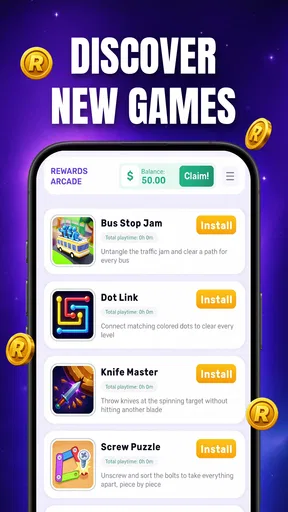
- Offers a variety of games, helping prevent the experience from feeling repetitive.
- Rewards can provide extra motivation to keep playing casually.
- The app is easy to navigate for first-time users.
- Suitable for short gaming sessions during spare time.
Limitations of Rewards Arcade: Earn Cash
- Earnings are typically small and may require considerable time.
- Reward availability can vary by location and user account.
- Some games may include frequent advertisements between sessions.
- Cash-out requirements may take time to reach.
- The app may collect usage and device data for personalization.
Similar Picks in This Category
View All
Google Play Games
Google LLC3.9

Netflix
Netflix, Inc.4.8

YouTube Kids
Google LLC4.2

Disney+
Disney4.4

Prime Video
Amazon Mobile LLC4.7

Steam
Valve Corporation3.2
Frequently Asked Questions
What is Rewards Arcade: Earn Cash, and how does it work?
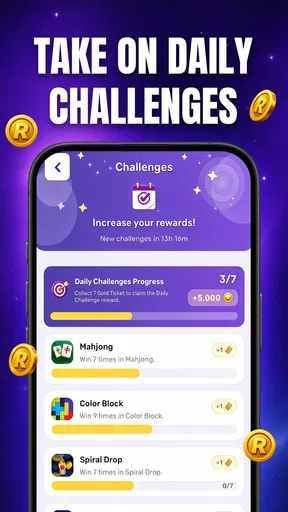
Rewards Arcade: Earn Cash is a rewards app that lets users earn points or credits by playing selected mobile games and completing available in-app activities. After installing a supported game through the app, you generally need to reach specific milestones or spend time playing before rewards are added. The exact offers, requirements, and earning rates can vary by location and may change over time.
Can I really withdraw money from Rewards Arcade: Earn Cash?
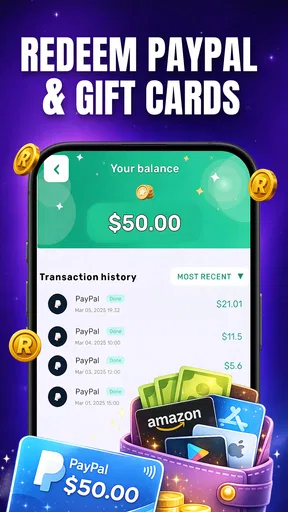
The app is designed to let eligible users exchange accumulated rewards for available payout options, which may include cash-equivalent rewards or gift cards depending on the country. However, earnings are usually modest and should not be viewed as a regular income. Before starting an offer, check its completion rules, minimum withdrawal threshold, verification requirements, and processing time so there are no surprises when requesting a payout.
Is Rewards Arcade: Earn Cash free to download and use?
Rewards Arcade: Earn Cash can generally be downloaded without an upfront purchase, and participating in offers does not normally require payment. Nevertheless, the games promoted through the platform may contain optional advertisements, in-app purchases, or paid features. You should never spend money simply to complete a reward task unless you fully understand the cost and confirm that the potential reward is worth the expense.
What permissions and personal information does the app require?
Like many reward and offer-tracking applications, Rewards Arcade: Earn Cash may require account details and device-related information to track installations, gameplay activity, and completed milestones. Depending on the available features, it may also use advertising identifiers, usage data, or notification access. Review the current privacy policy and permission prompts carefully, and avoid providing information that is not necessary for using the service.
Why are my rewards delayed, missing, or rejected?
Rewards may not appear immediately because the app or its advertising partners need time to verify that an offer was completed correctly. Tracking can fail if you previously installed the promoted game, used a different device, disabled required permissions, blocked tracking, or switched accounts. Keep screenshots of offer requirements and progress, follow the instructions exactly, and contact in-app support promptly if a qualifying reward remains missing.
